
Published: 1 June 2026
Audience
-
Admins
-
Finance teams (Controllers)
-
Project Managers
Objective
This article explains how to set up SAP Business One time tracking on Fixed Fee, Time & Materials (T&M), or Retainer contract lines. Assigning a product to the contract line ensures that time entries booked against it are mapped to the correct item in SAP Business One when you generate an invoice.
Prerequisites
 The SAP Business One integration must be enabled for the business unit.
Products must already be configured in PSOhub and mapped to items in SAP Business One.
Steps
Configure contract line or contract template
- Open your project or contract template.
- Click an existing contract line, or add a new one.
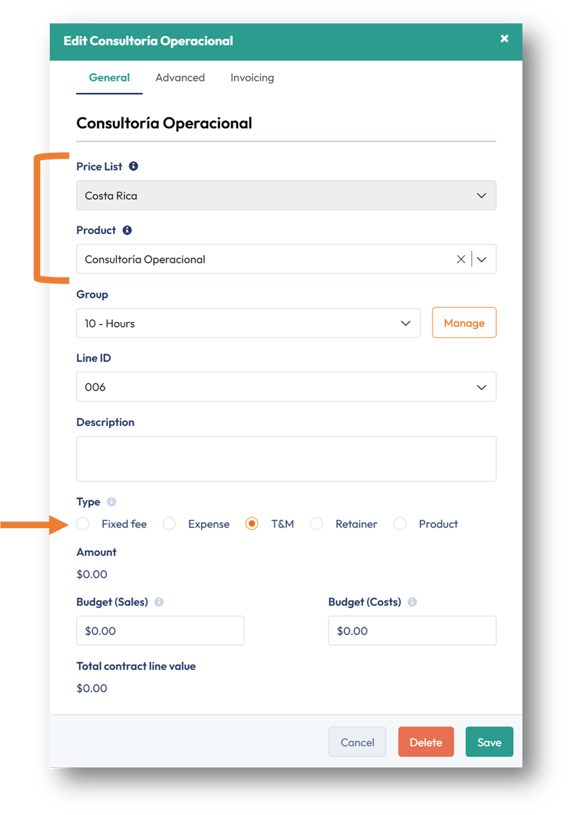
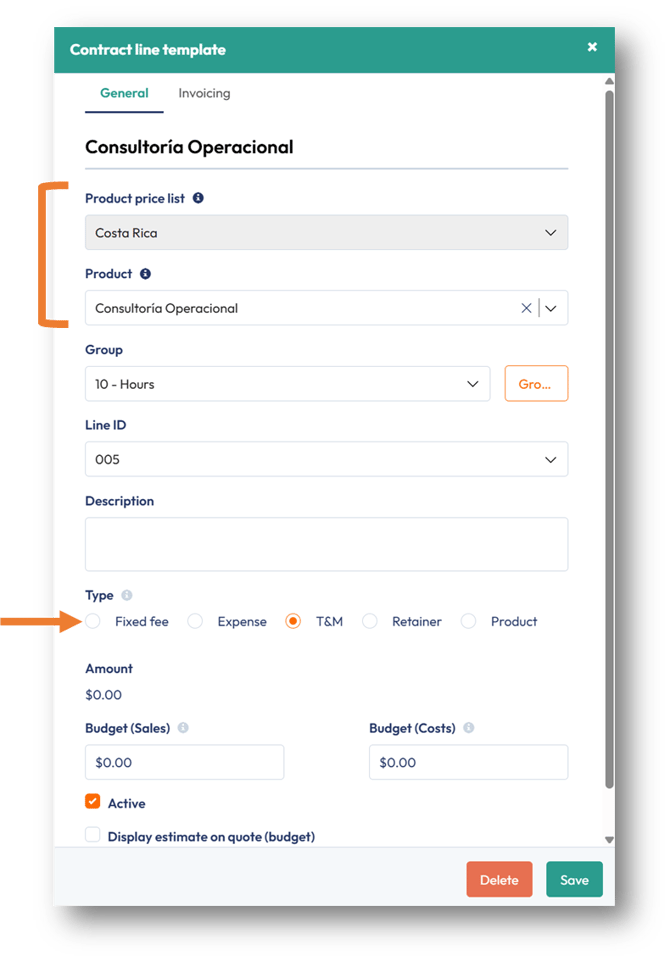
- Choose a contract line type that allows time to be booked: Fixed Fee, Time & Materials (T&M), or Retainer.
- In the Price List field, select the price list linked to the contract line.
- In the Product field, select the product from that price list. The selected product becomes the contract line name used for invoicing in SAP Business One.
📌 Note: These steps apply whether you're working in an existing project or a contract template. In a template, the same fields are set on the contract line before the template is applied to a project.
| Existing project | Contract template |
 |
 |
6. Click on the Invoicing tab. PSOhub automatically maps the associated SAP dimensions and tax category for the contract line. 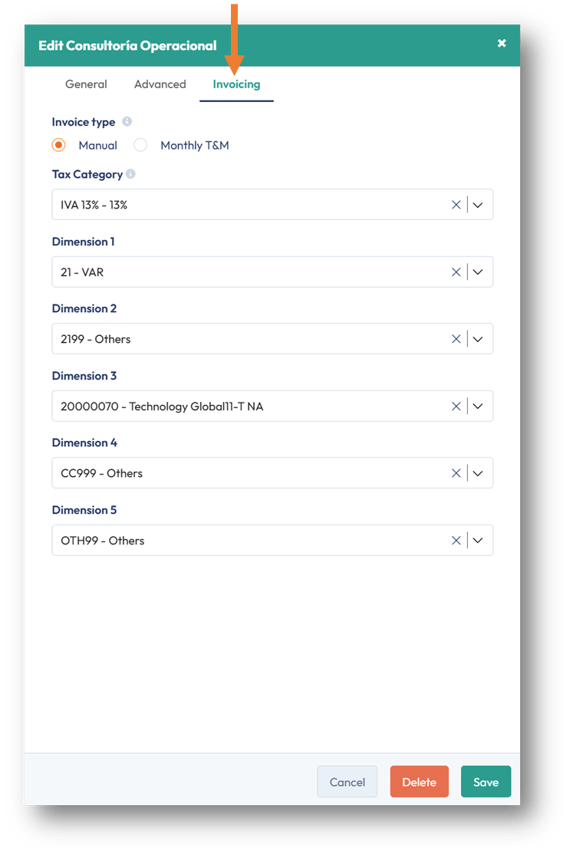
7. Click Save.
Book Time on the Contract Line
8. If you're using a contract template, import it into a project so the contract line becomes available for time entries. If you're working in an existing project, team members can book time against the contract line immediately.Generate an Invoice
9. Generate an invoice as usual. Time entries linked to the contract line are invoiced using the product selected in step 5.
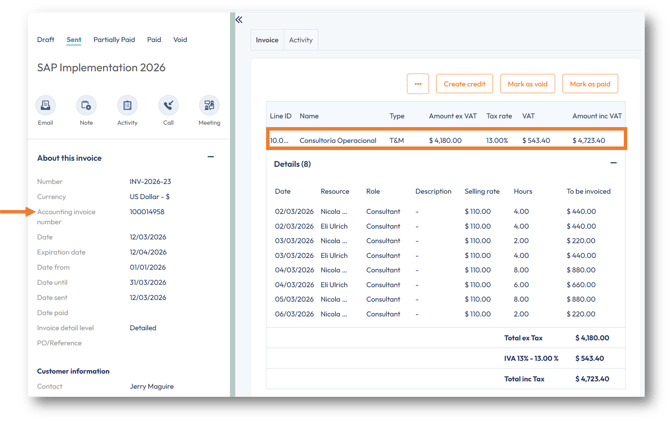
10. Open the invoice in SAP Business One to confirm the invoice line was mapped to the corresponding SAP item. 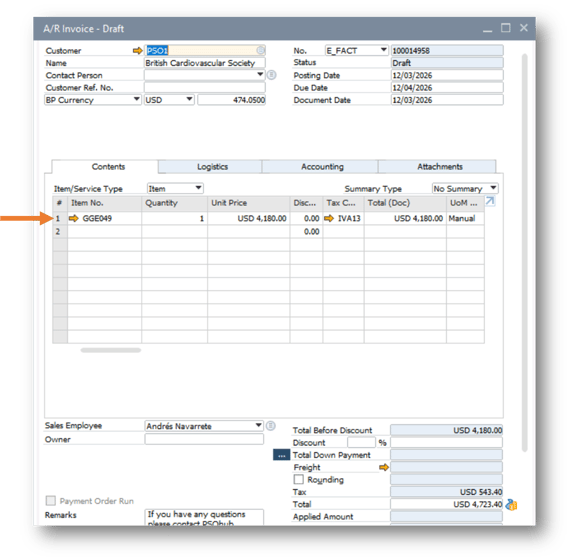
Result
Time entries booked on Fixed Fee, Time & Materials, or Retainer contract lines are mapped to the selected product. Invoices generated from PSOhub use the correct corresponding item in SAP Business One.
Next Steps
✅ Confirm your SAP Business One time tracking setup
Generate a test invoice to verify the contract line's product maps correctly to SAP Business One.
SAP Business One Product Invoicing: How to Invoice Products in PSOhub