
Published: 14 March 2026
Audience
-
PSOhub administrators
-
Finance teams
-
Project Managers
Objective
This article explains how to assign a product to Fixed Fee, Time & Materials (T&M), or Retainer contract lines so that time entries booked on those lines are mapped to the correct item in SAP Business One when invoices are created.
Prerequisites
 The SAP Business One integration must be enabled for the business unit.
Products must be configured in PSOhub and mapped to items in SAP Business One.
Steps
Configure contract line or contract template
- Open your project or contract template.
- Click on an existing contract line or add a new contract line.
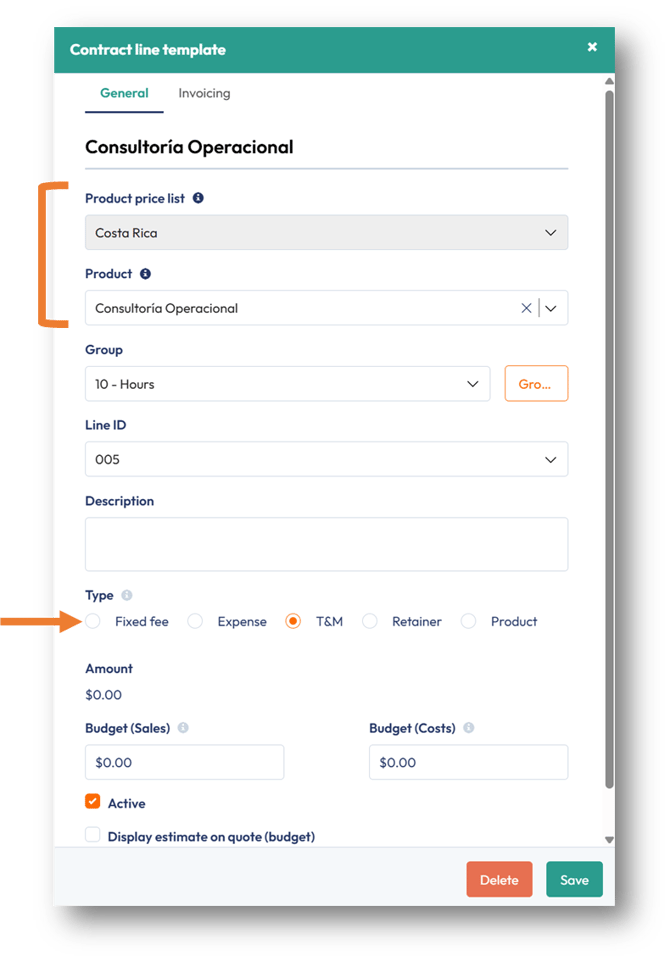
- Choose one of the contract line types (Fixed Fee, Time & Materials (T&M), or Retainer). These contract line types allow time to be booked against the contract line. In this article, we will use T&M.
- In the Price List field, select the price list that should be linked to the contract line.
- In the Product field, select the product from the price list.
The selected product serves as the contract line name for invoicing in SAP Business One.
Existing project Contract template 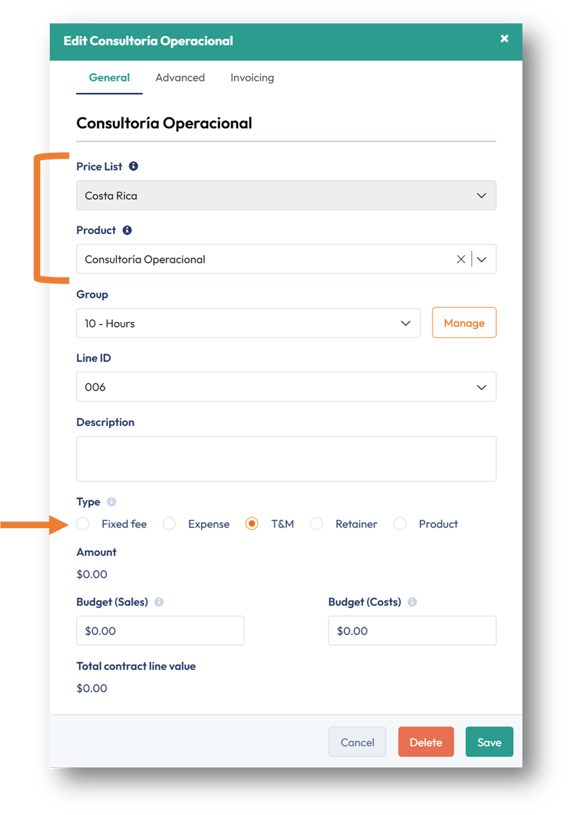
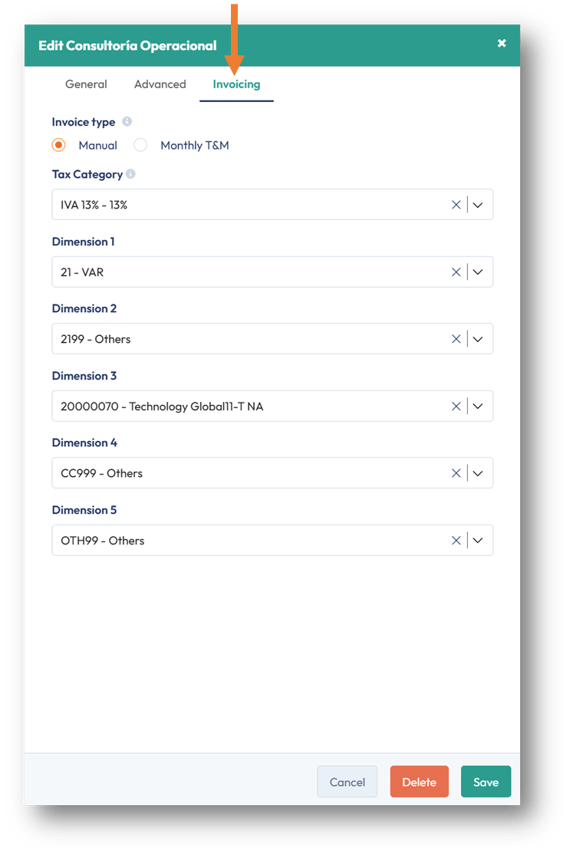
- Click on the Invoicing tab.
- The associated SAP Dimensions and Tax Category will be automatically mapped and used for invoicing.
- Click Save.
Book Time on the Contract Line
- The contract template can be imported into a project and is ready for team members to book time against the contract line. Or;
- In an existing project, team members can immediately book time against the contract line.
Generate an Invoice
-
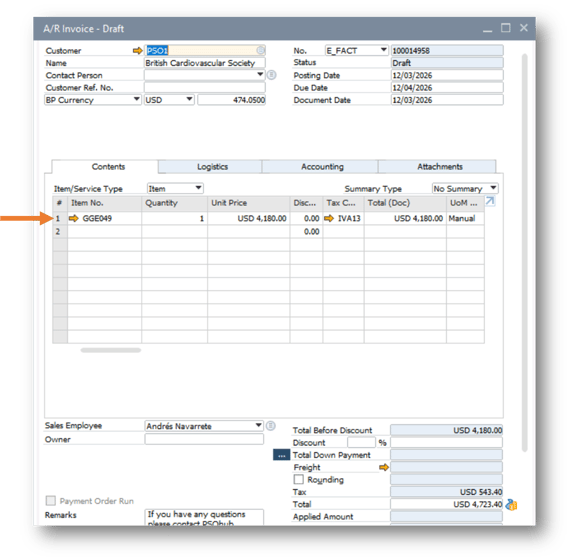
The time entries linked to the contract line will be invoiced. The product selected on the contract line will be used for the invoice line.
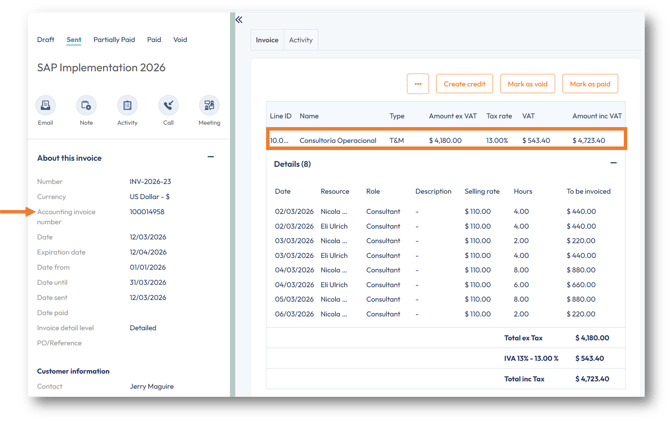
-
Find your invoice in SAP. The invoice line in PSOhub will be mapped to the corresponding SAP item:
Result
Time entries booked on Fixed Fee, Time & Materials, or Retainer contract lines are correctly mapped to the selected item, ensuring that invoices generated from PSOhub use the appropriate item in SAP Business One.
Next Steps
✅ Invoice products to SAP Business One
Once your contract line is mapped to a product, learn how to generate and send the resulting invoice to SAP Business One.
SAP Business One Product Invoicing: How to Invoice Products in PSOhub